Clashing dates
The same room or trainer appears in two places, and the problem comes out only before the class.

Schedule and classes
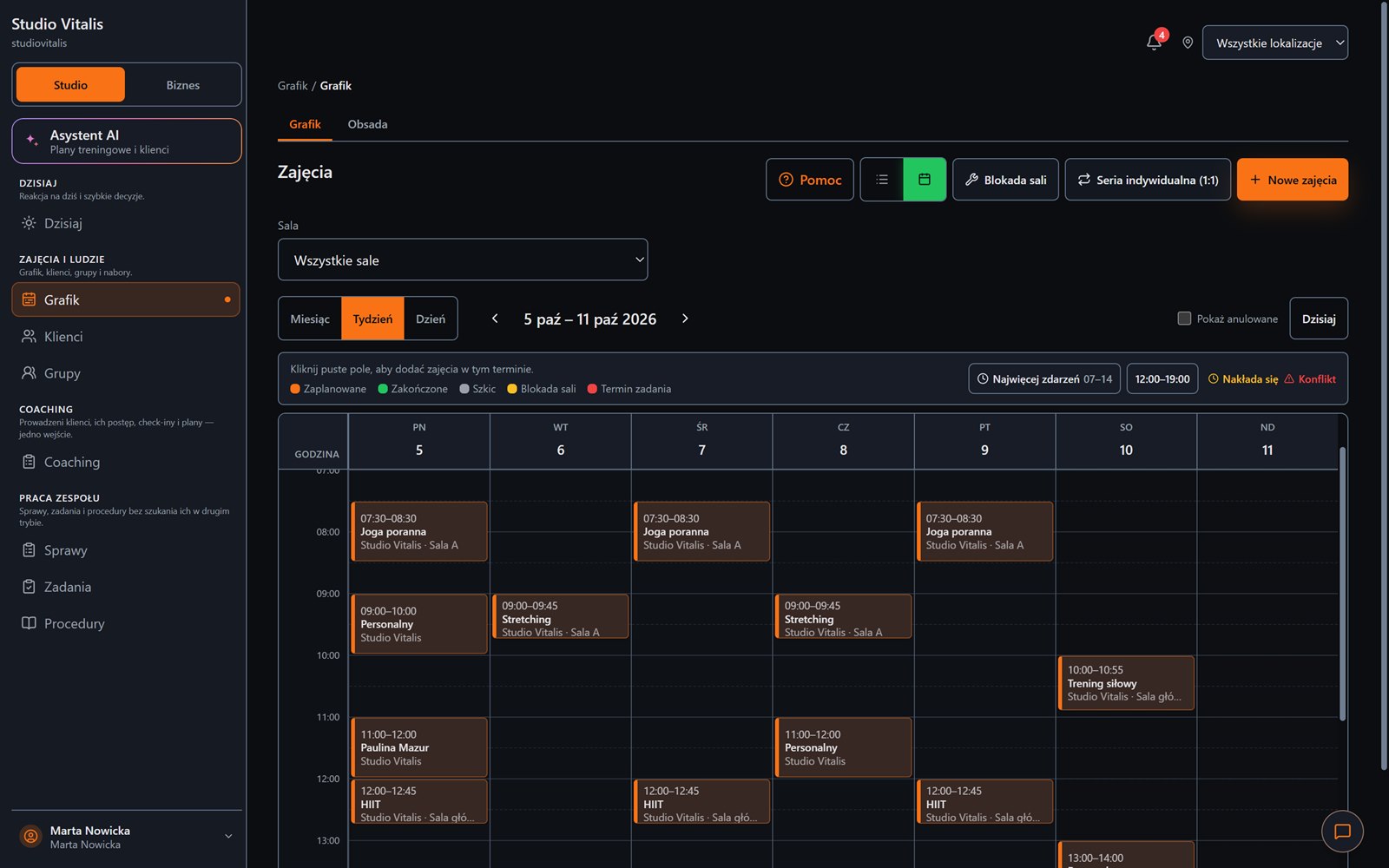
Create Progress Studio connects dates, groups, rooms, locations, trainers and bookings. The owner sees the whole week, and the team knows where and when they work.
From the first group to many rooms: one calendar for the whole studio.
Everyday friction
The same room or trainer appears in two places, and the problem comes out only before the class.
Recurring classes have to be retyped every week instead of setting up the group and the schedule once.
The owner, the front desk and the trainers work on different versions of the schedule and the information.
How Create Progress Studio helps
Set the days, hours, the instructor and the default pass, and sessions are generated according to the plan.
Assign places, capacity and rules, and filter the schedule by location.
The system checks overlapping dates, rooms and staffing before a change is published.
Each role gets only the information it needs for the job.
A good schedule does not only show hours. It protects the studio from a conflict, an empty room and a call from a surprised client.
Desktop and phone
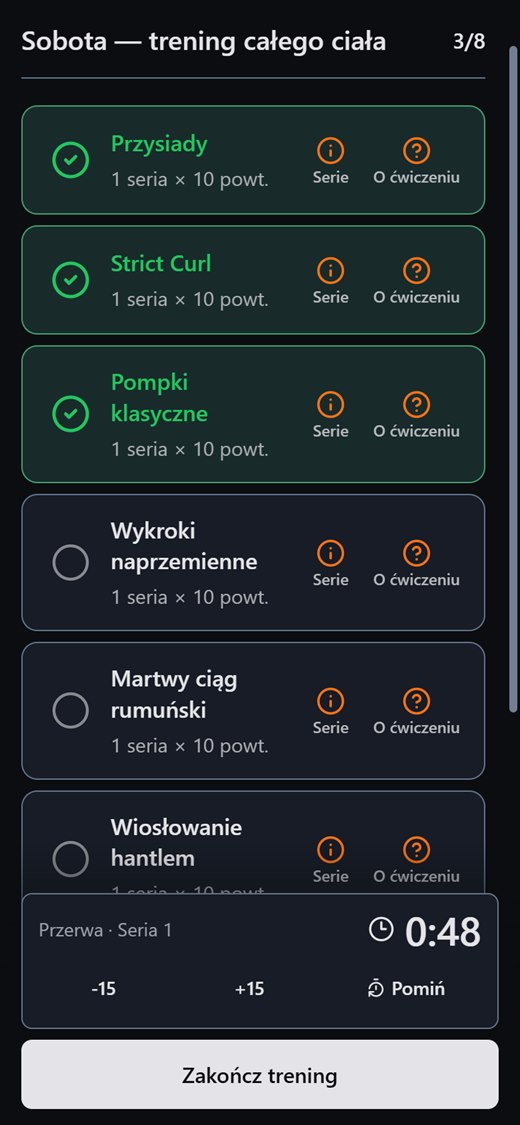
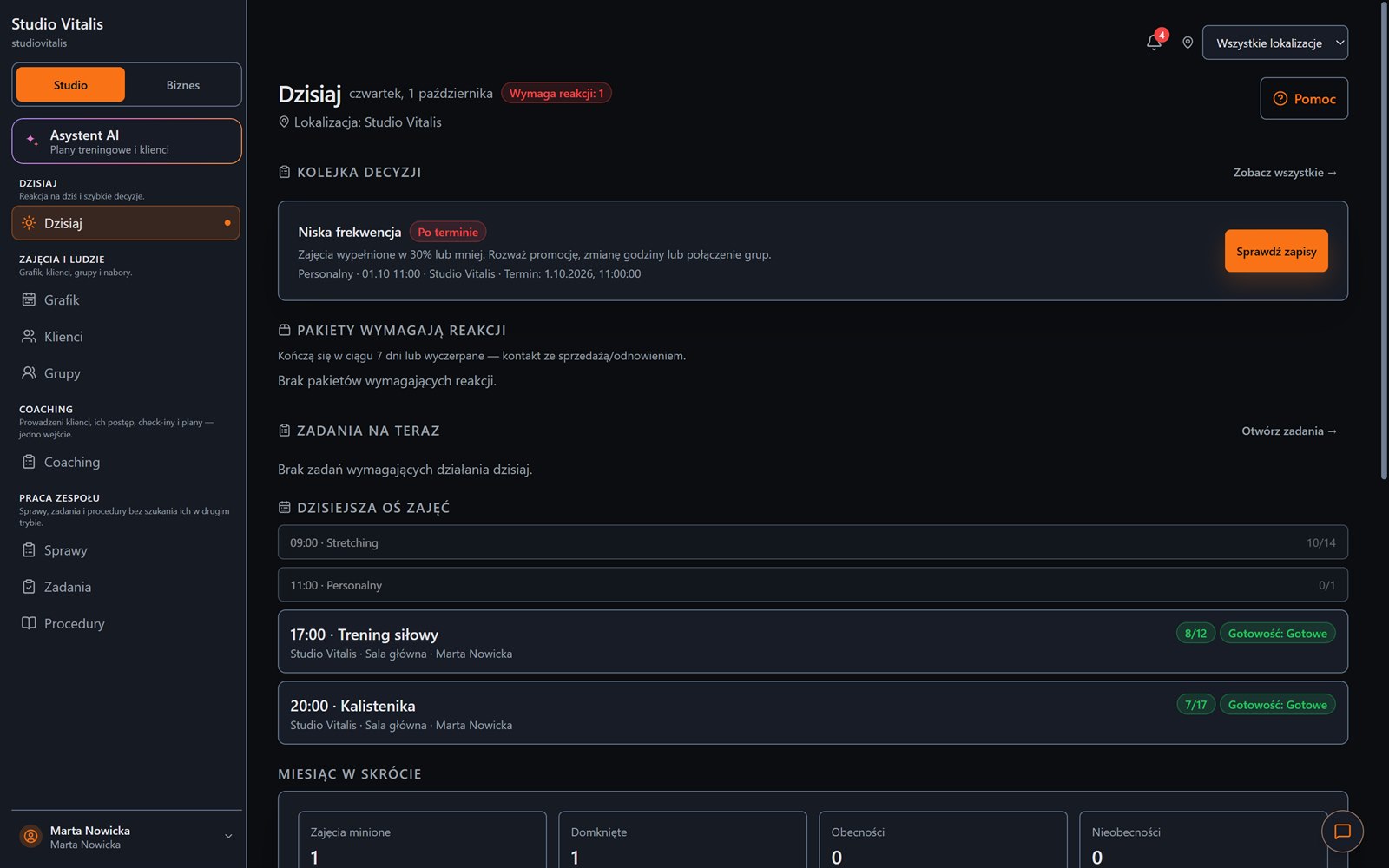
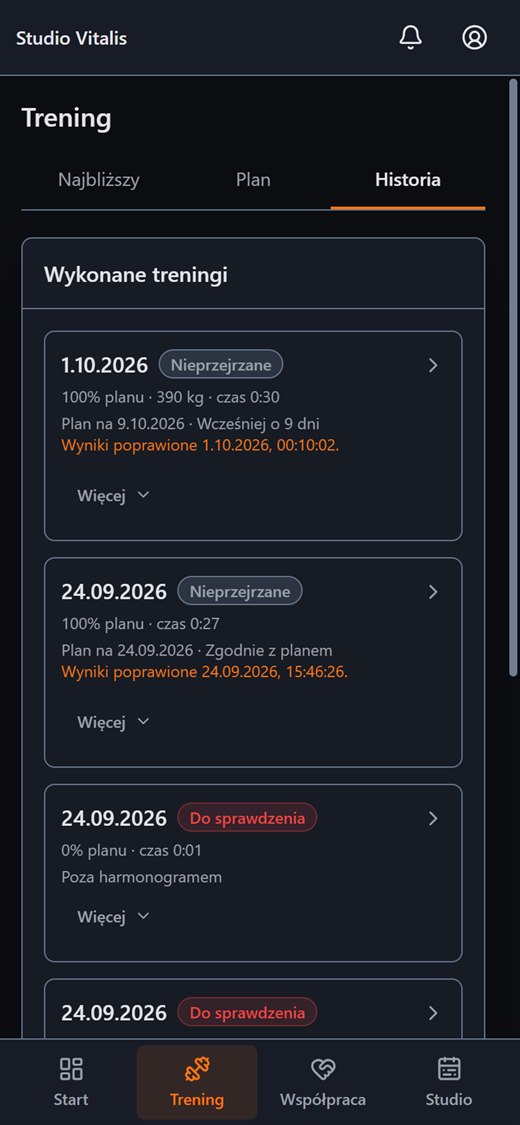
On a computer you plan the week and see what needs a reaction. On a phone your client has their own panel with the plan, the workout and the history.
FAQ
Create an account without a payment card, or message us and tell us how your training runs today.