Add your first client
Create a client card so that from day one you have their details, history and payments in one place.

Getting started with Create Progress Studio
You do not have to move the whole club in one evening. Start with a client, a pass and the schedule. Create Progress Studio (CP Studio) then connects sales, attendance and the team's daily work.
Practical setup for clubs, studios and trainers
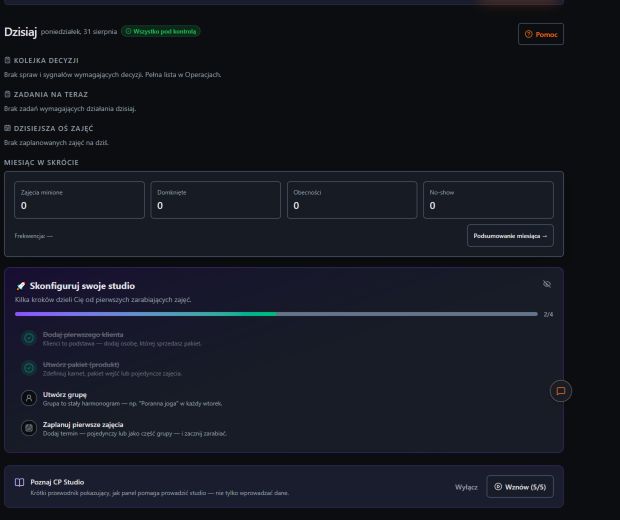
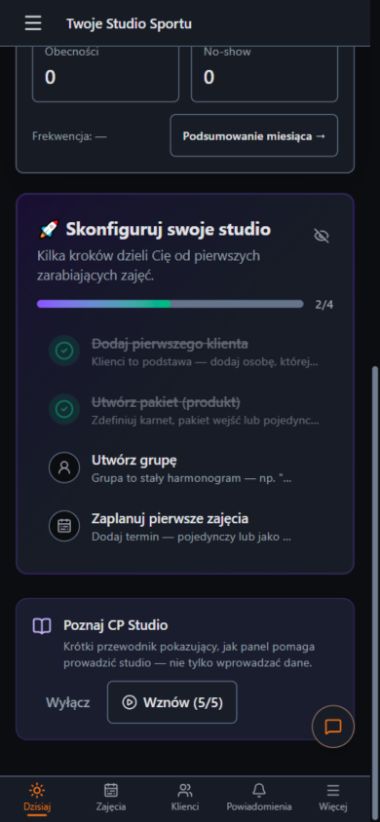
Setup without chaos
Each step makes sense on its own, and together they form one consistent flow from booking to settlement.
Create a client card so that from day one you have their details, history and payments in one place.
Name a pass or a service, set the price and the number of entries. This is how you build clear sales.
Combine a class type, an instructor, a capacity limit and a location into a repeatable training format.
Add a date to the calendar and sign up participants. From then on the schedule, attendance and settlements work together.
Data that stays in place
A client signed up for a class sees their own history. The team immediately has the schedule, the capacity limit and the payment status. The owner no longer has to piece this together from a sheet of paper, a chat and several spreadsheets.
A view that leads you on
The first steps are clear on both screens. The team can come back to the setup whenever it has new data or a new service to add.
What about clients?
After you add a client you can invite them to the panel. They will see your plan, bookings and passes, and on a phone they will do the workout with a rest timer and check their history.
FAQ
Launch your own panel without a payment card, or tell us how your training runs today.